Designing a learning community for Microsoft Learn

Overview
In a partnership with Microsoft, I designed and developed a learning community for Microsoft Learn, where people build technical skills together. We focused on onboarding, community engagement, and a simpler interface for interacting with others.
Microsoft Learn is a self-guided platform where developers, IT professionals and students learn through hands-on paths and modules, and grow their careers with Microsoft technologies.
The experience didn't encourage community engagement. People found it hard to navigate, especially the community features.
Improve the community page, raise engagement and smooth onboarding, with clearer sorting for discussions and a rewards system for motivation.
"How might we enhance community engagement on Microsoft Learn and motivate users to interact and contribute?"
Solution
The final design adds an onboarding flow, a better sorting system for the community page, improved viewing and posting of comments, and a rewards page, so sharing knowledge feels easy and worth it.
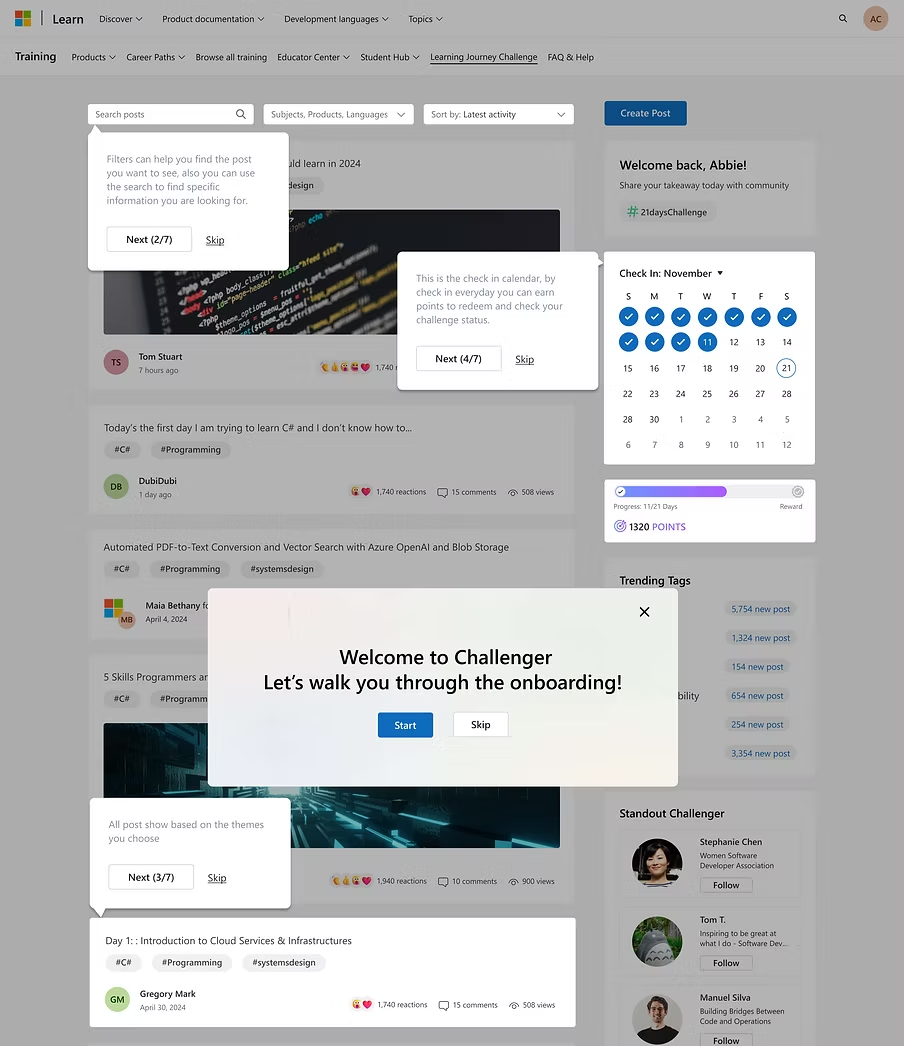
- 1Sorting system
Organise discussions so people find what they need quickly.
- 2Rewards
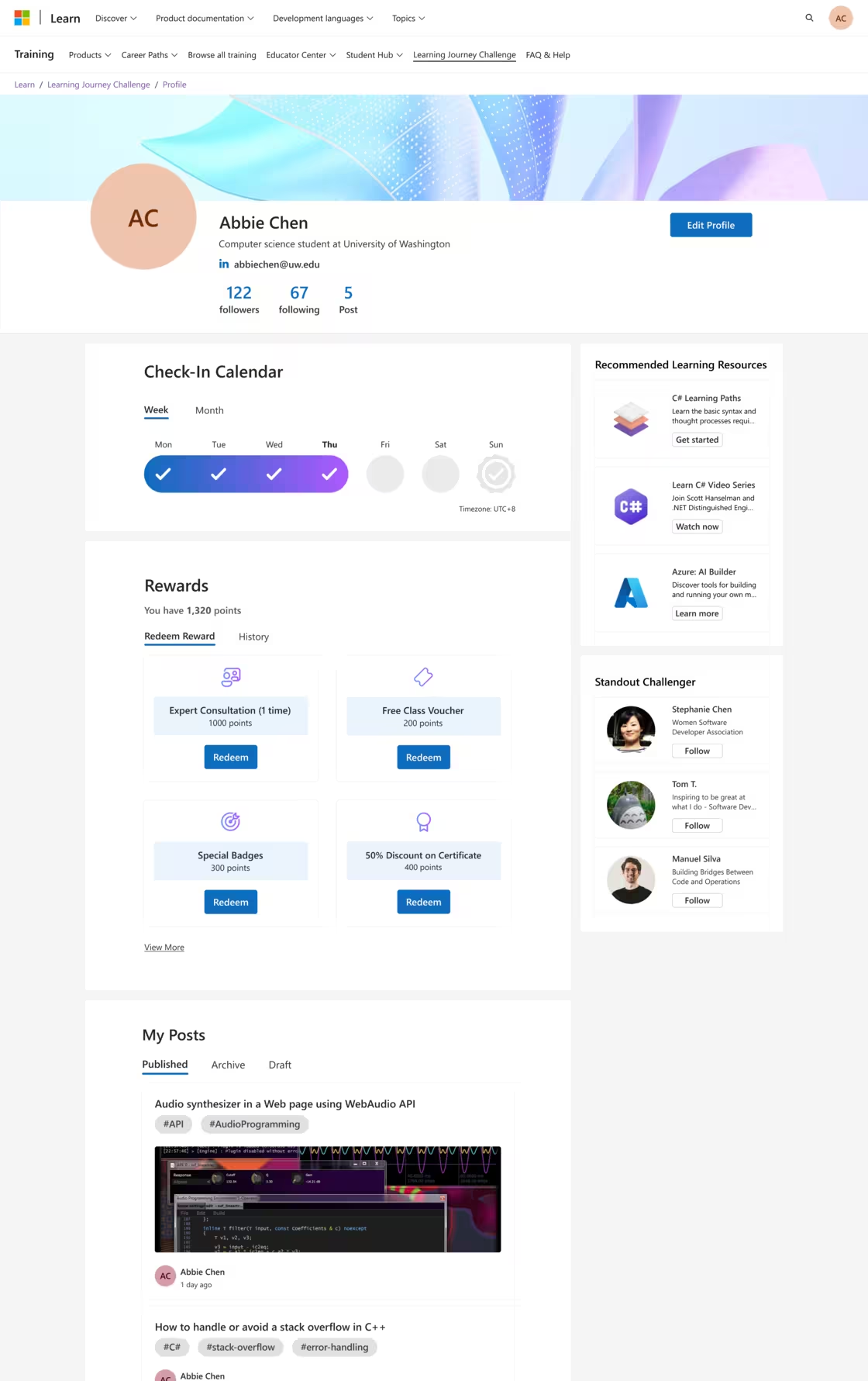
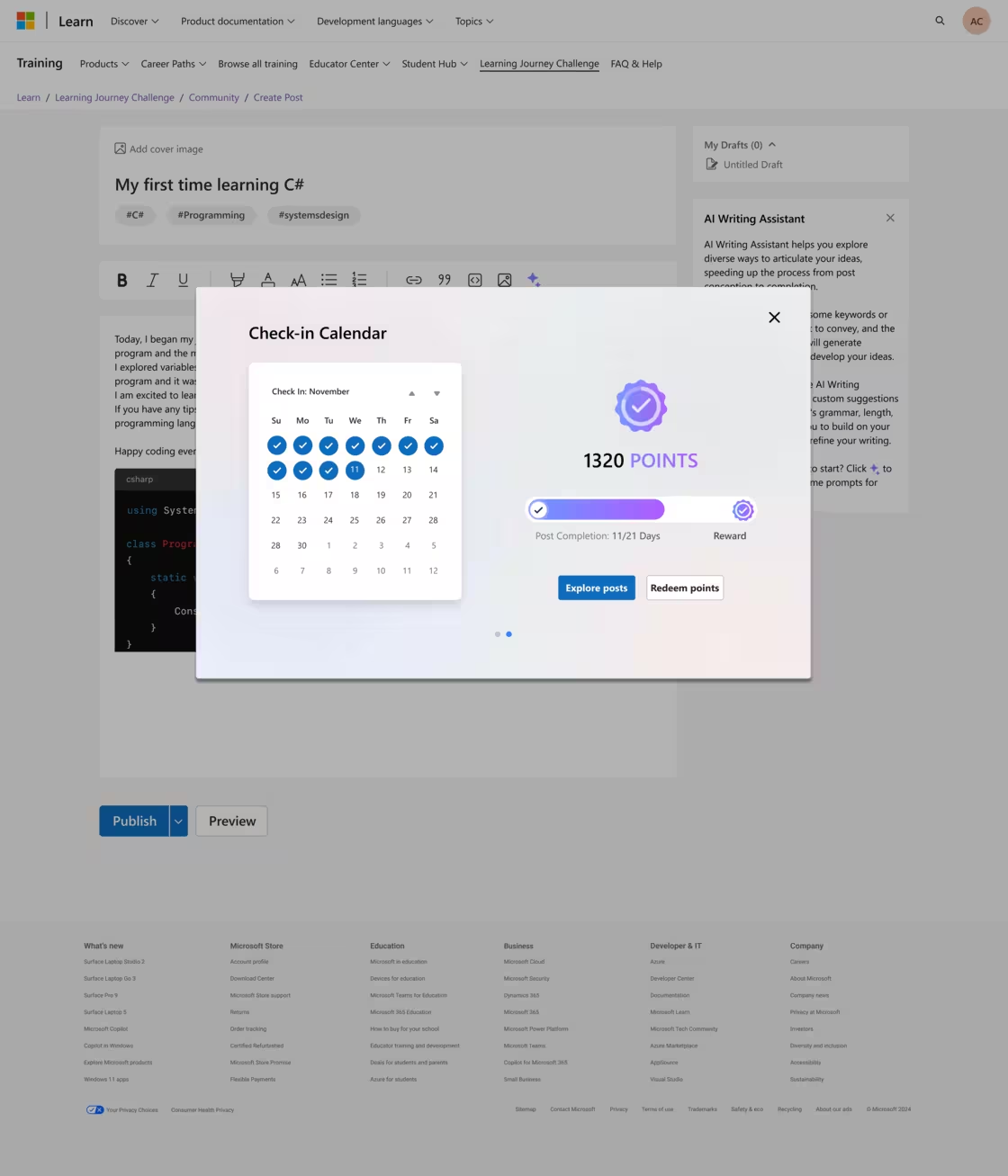
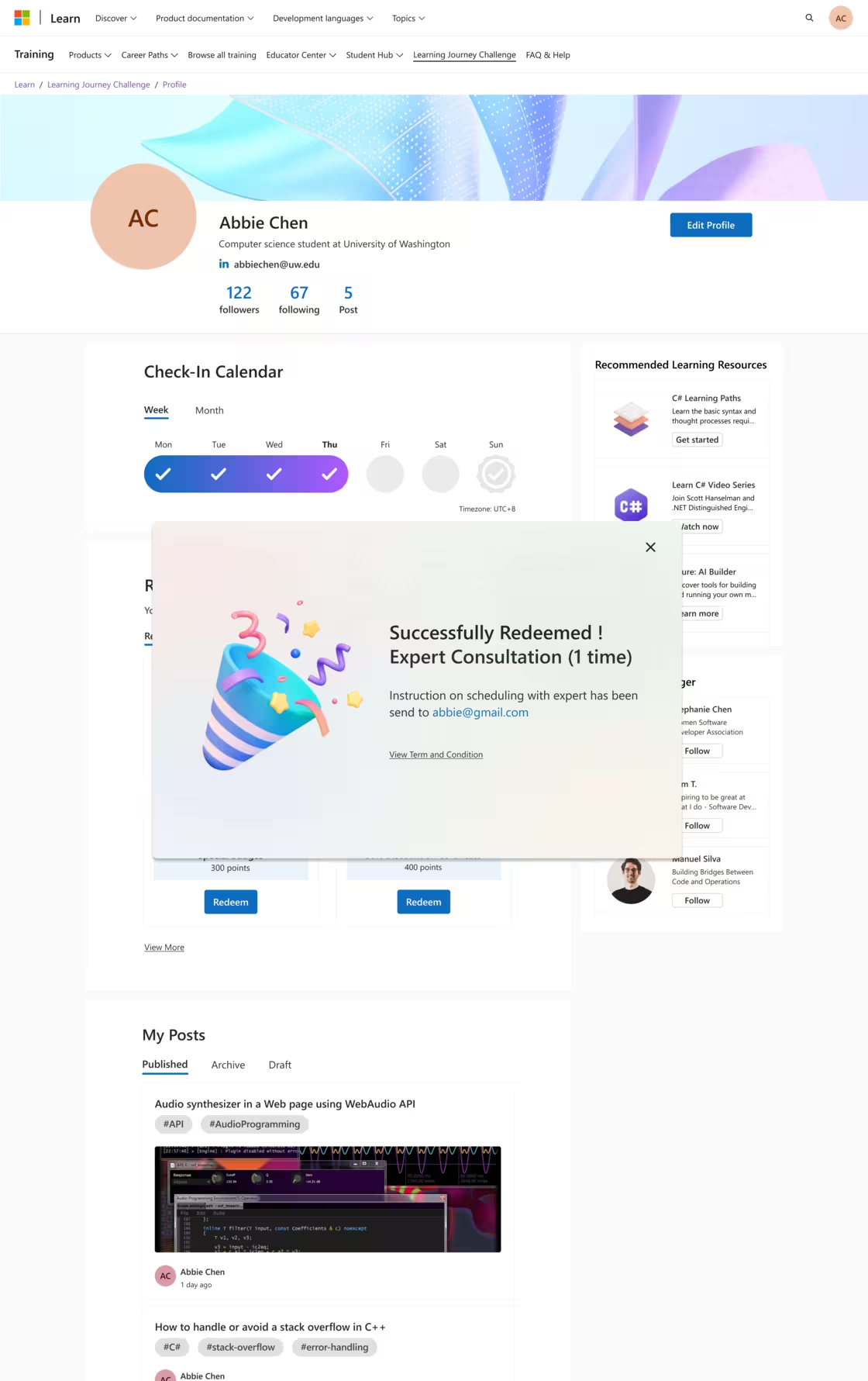
Earn points for posts and milestones, then redeem free courses, certification discounts, or a mentorship session with a Microsoft professional.
- 3Onboarding
A guided introduction so new members feel confident and join in early.
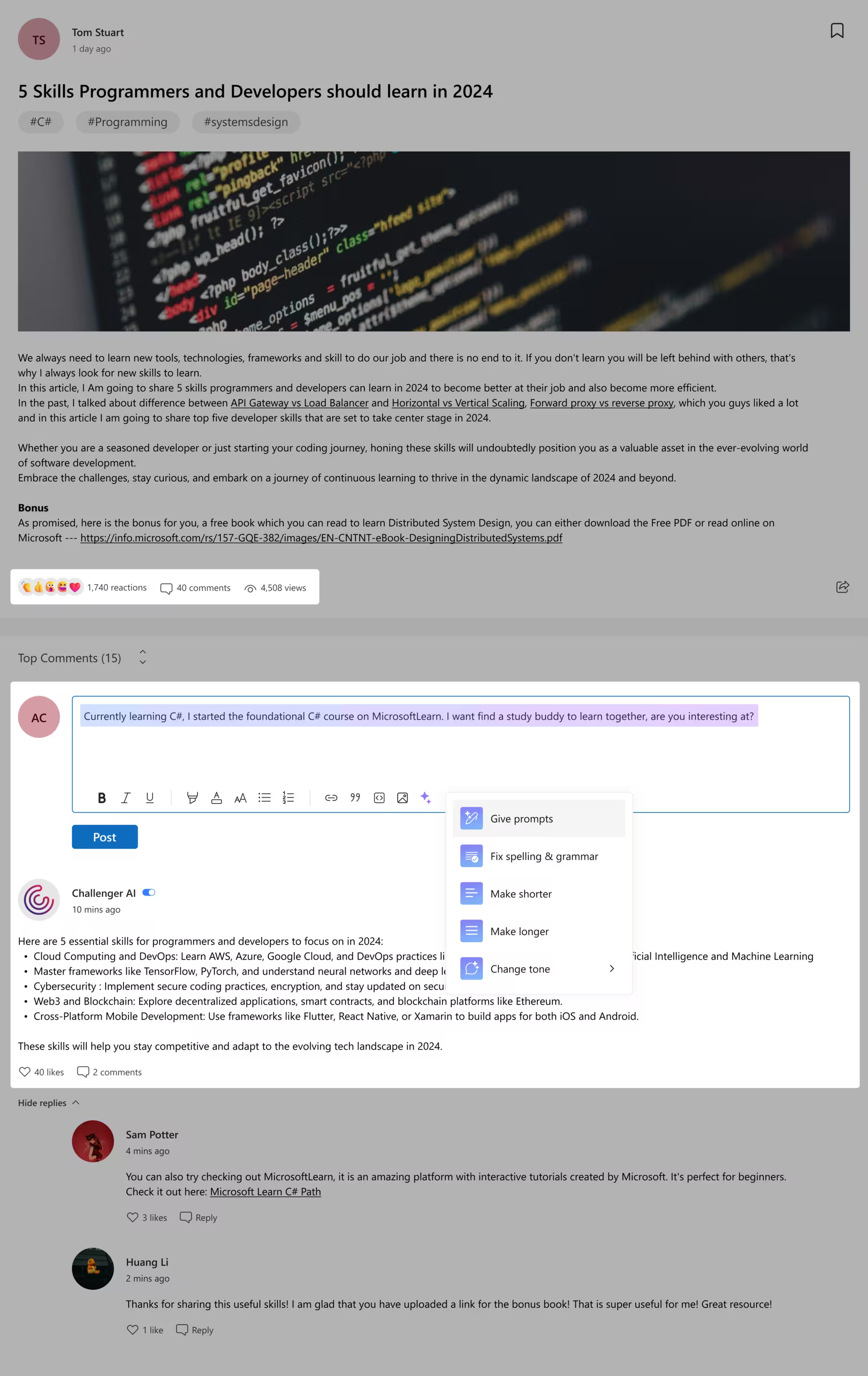
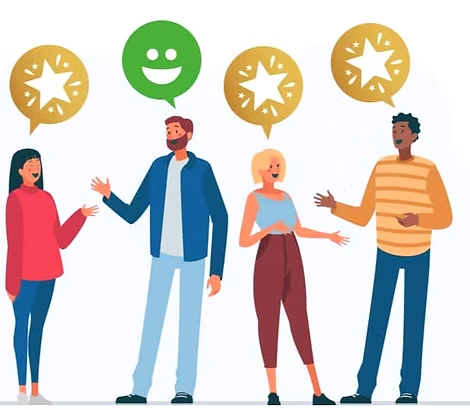
- 4Emoji reactions
A quick way to respond that gives writers a sense of achievement and a reason to post again.
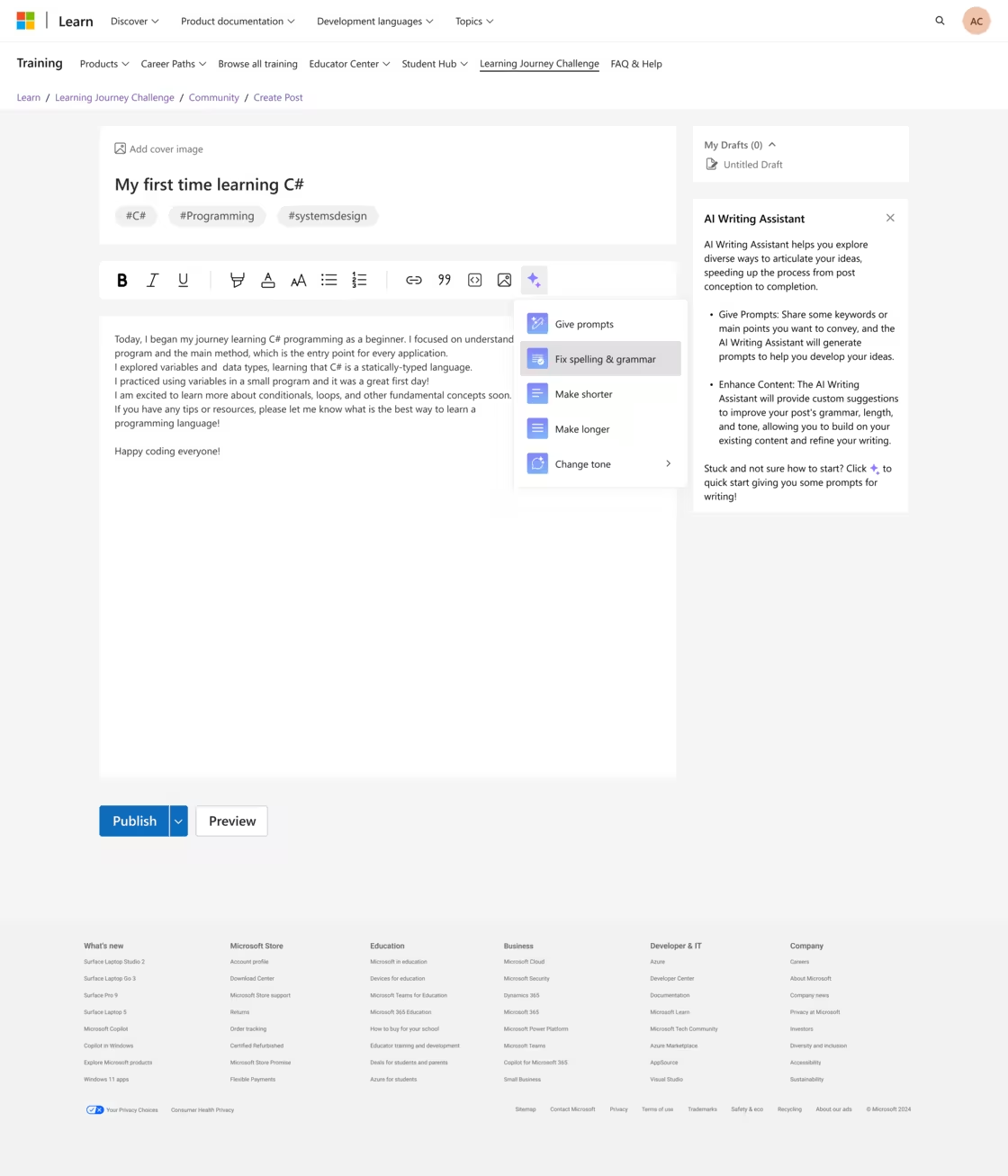
- 5Writing assistant
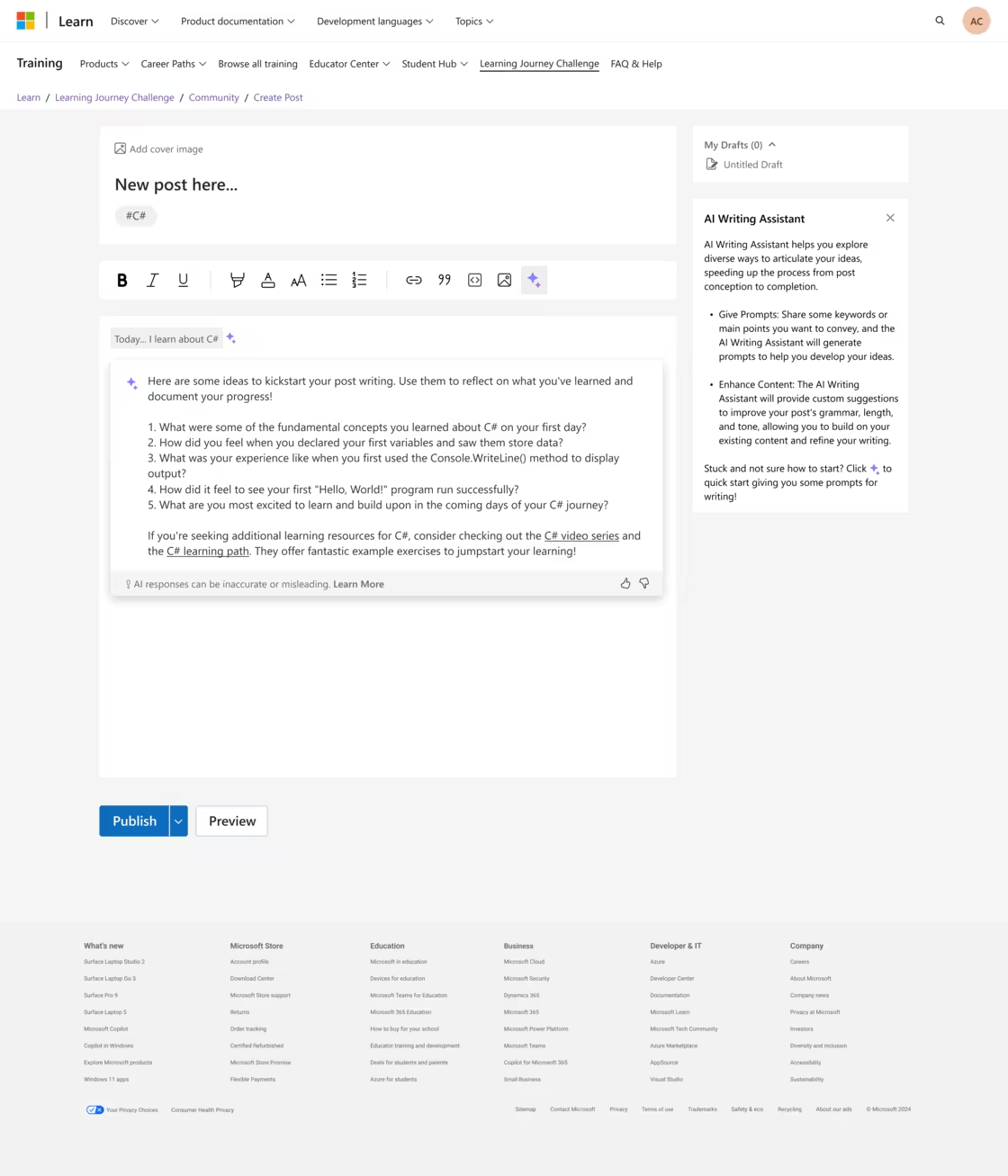
Built-in AI fixes grammar and spelling, adjusts tone and offers prompts, so posts are clearer and writers more confident.
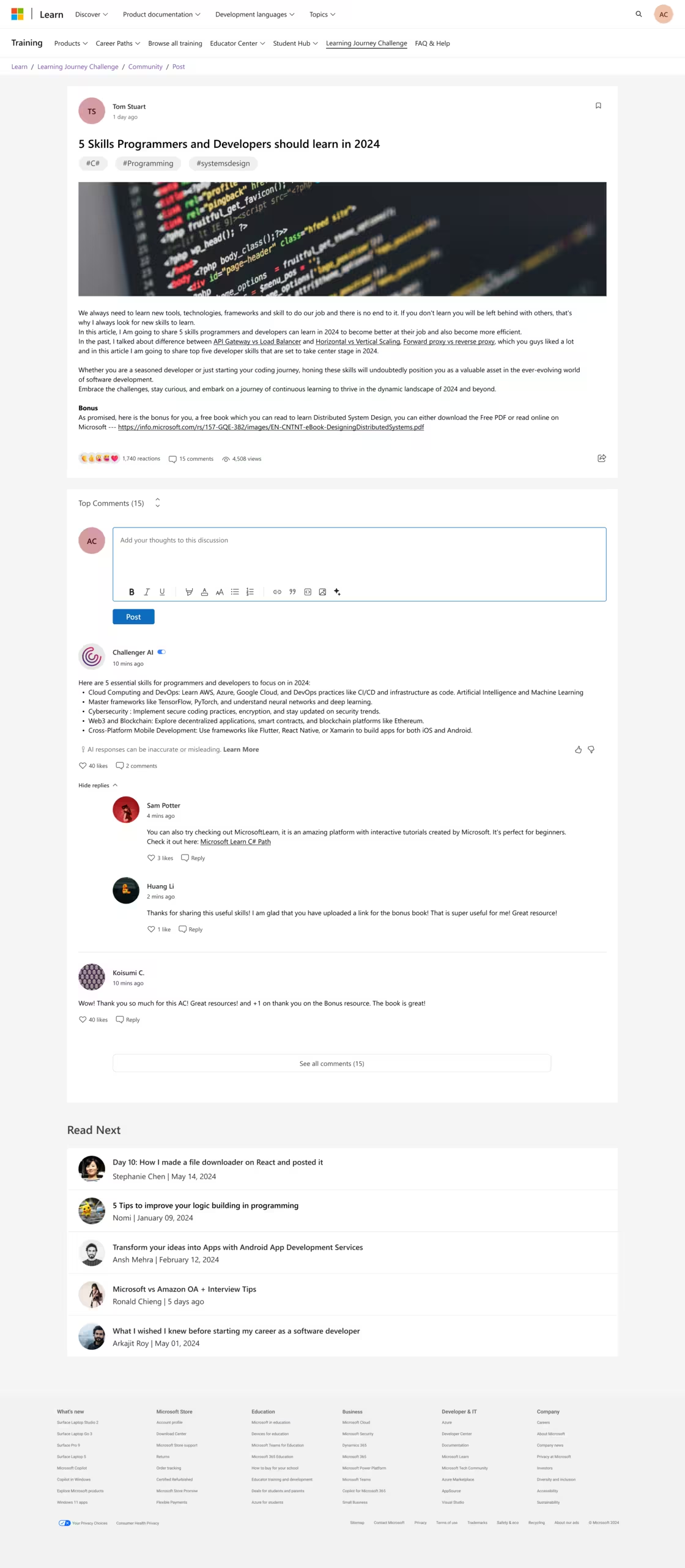
- 6Instant feedback
AI feedback on each post with personalised learning tips. Easy to switch on or off.
Impact
Testing the redesign with 12 users showed a clear jump in engagement and ease of use.
"I find the rewards feature appealing. Mentorship from professionals and certificates to showcase on LinkedIn will really support my career and learning goals."Participant R
What it brings
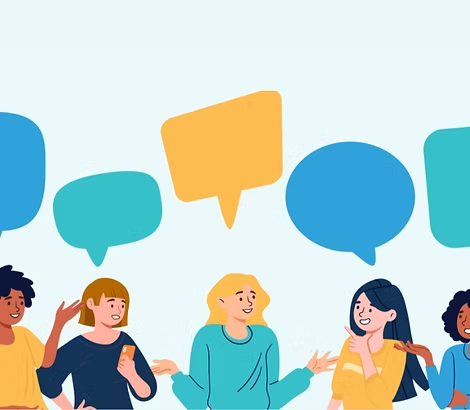 A more engaged community
Collective knowledge that benefits everyone.
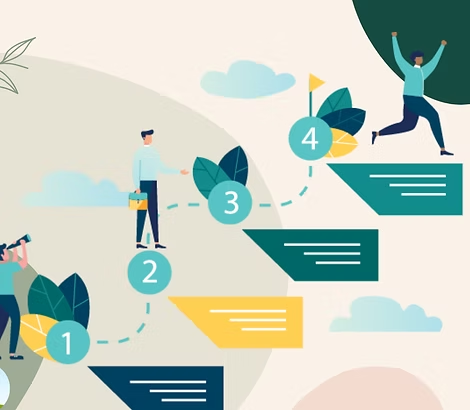 Structured learning paths
Learning feels more manageable and rewarding.
 Instant feedback
Deeper understanding and better retention.
Research
I looked at the challenges early-career developers face on Microsoft Learn, mixing qualitative and quantitative methods to understand their needs and motivations.
Who we designed for
People in computer science and software development: students, early-career developers and career changers.
- Talk with other programmers
- Gain coding knowledge
- Discover career interests
- No access to mentors
- Hard to find information
- Unsure which skills they need
What we found
- Not enough guidance
Without instructions, first-time users felt lost, which led to a high drop-off rate.
- Fear of judgment
Many held back from discussions, worried about negative feedback or not knowing enough.
- AI as a learning tool
Participants used ChatGPT, Copilot and Claude alongside their learning for quick problem-solving and debugging.
- Career goals drive motivation
Badges and leaderboards didn't move engagement unless they came with proof of certification.
Ideation
I focused on ideas that raise engagement and reduce the fear of judgment. Crazy 8s produced a wide range; two concepts stood out: a Posting Challenge and Message in a Bottle.
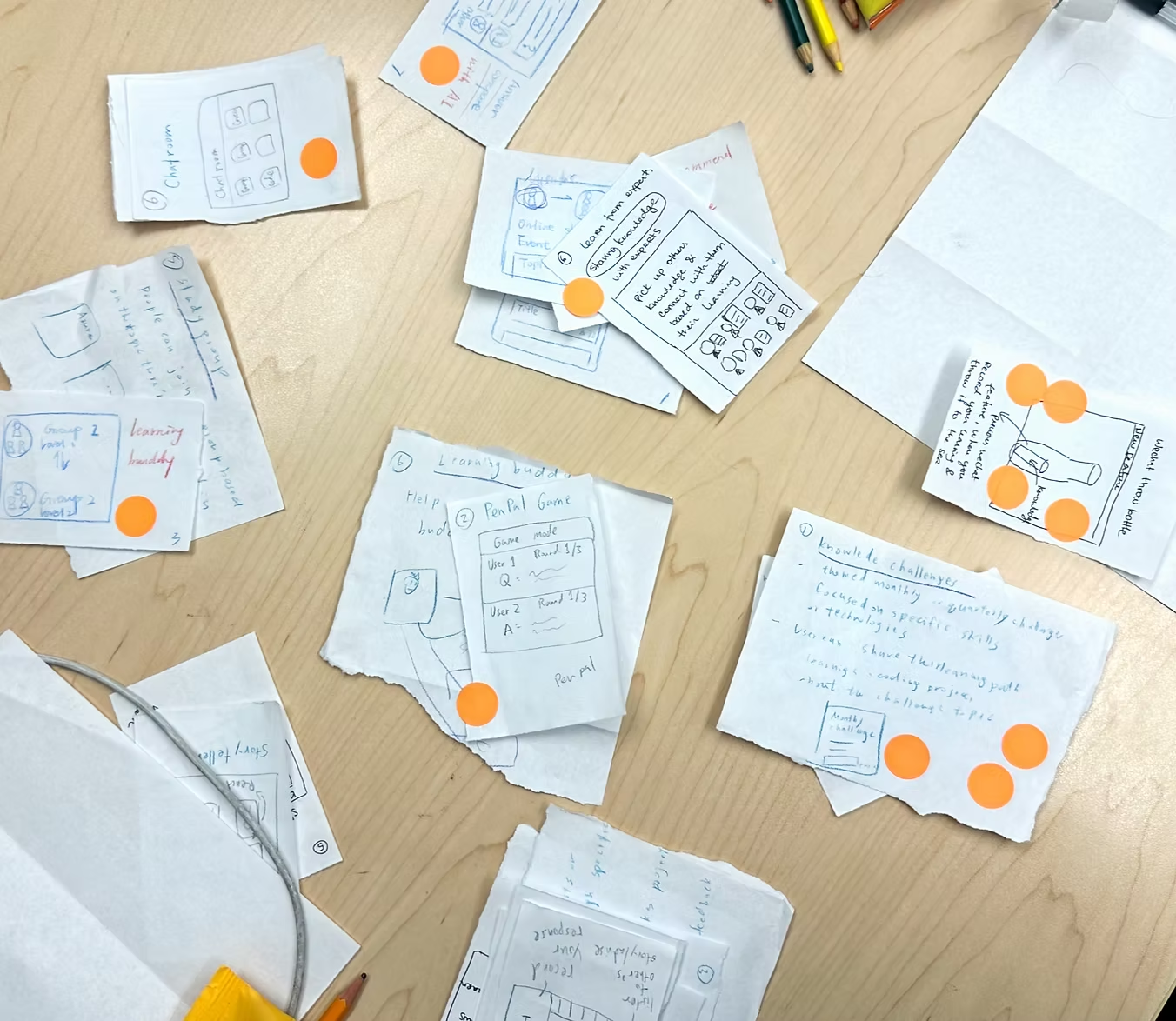
Crazy 8s: eight ideas in eight minutes, then voting on which to prototype.
Concept testing
I built lo-fi prototypes of both and tested them with 7 users.
4 of 7 preferred the structured, gamified Posting Challenge; 3 liked the anonymity of Message in a Bottle.
Why the Posting Challenge
It builds confidence and steady participation, moving people from watching to contributing. Rewards make it fun, peer feedback keeps it positive, and the community fills with more varied content.
User flow
The flow below shows how a learner moves through the challenge, from joining to earning rewards.
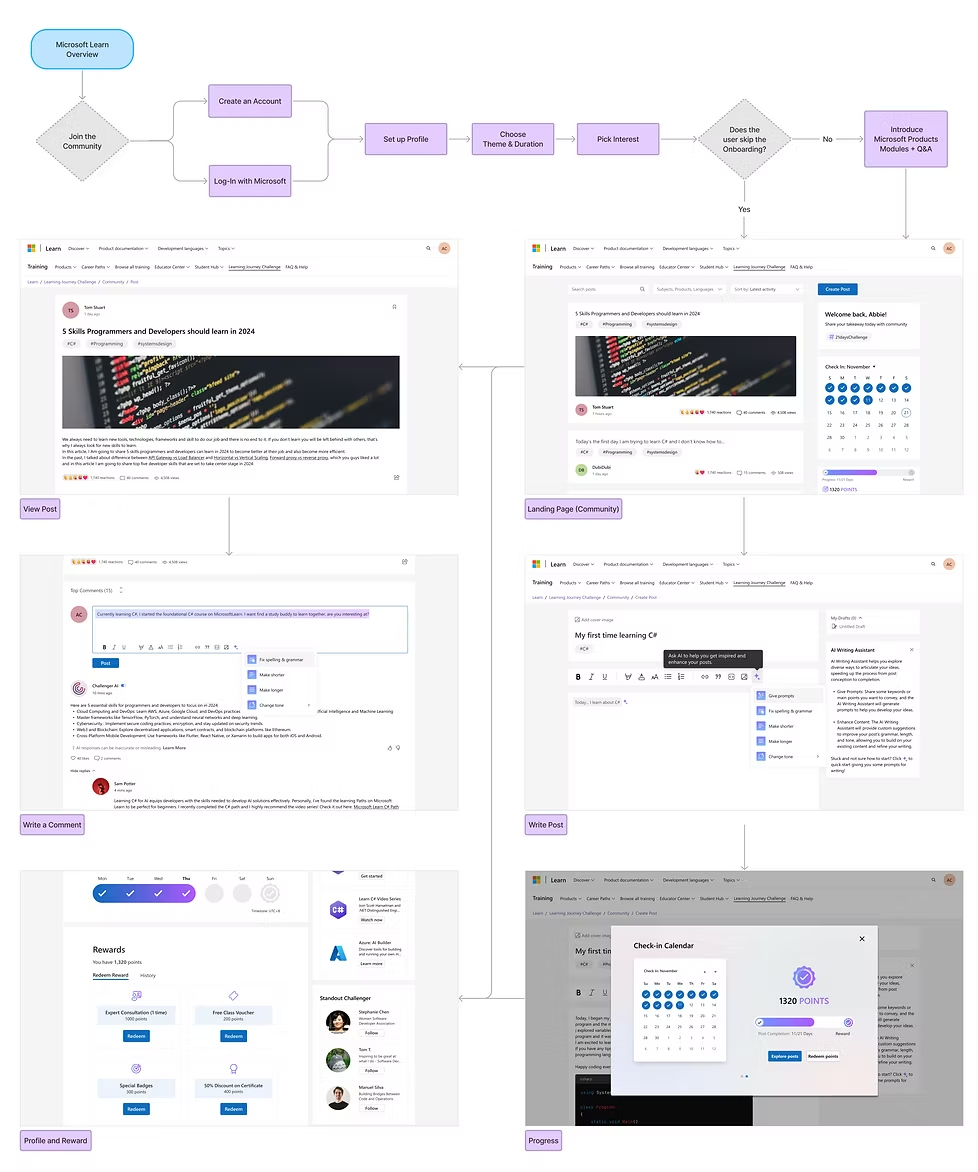
Click the diagram to see it full size.
Challenges to design around
- 01Microsoft Learn is complicated. Deep, dense navigation makes it hard to find the community at all.
- 02Habits are hard to form. People start strong, then drift away.
- 03Creating takes effort. Most members only read; few contribute, because writing a post takes time.
Iteration
I prototyped the blogging platform around three features, each meant to raise engagement and satisfaction.
Onboarding
- Interactive walkthroughs of courses and community features
- Personalised learning paths based on interests and goals
- Progress tracking that shows how far onboarding has come
Built-in AI
- ChallengerAI gives instant feedback on posts and suggests improvements
- Writing assistance for grammar, tone and prompts
- Recommendations for courses based on what people read and write
Rewards
- Points for publishing posts and finishing courses
- Mentorship and certificates to unlock, which help careers
- A progress bar that keeps the sense of accomplishment visible
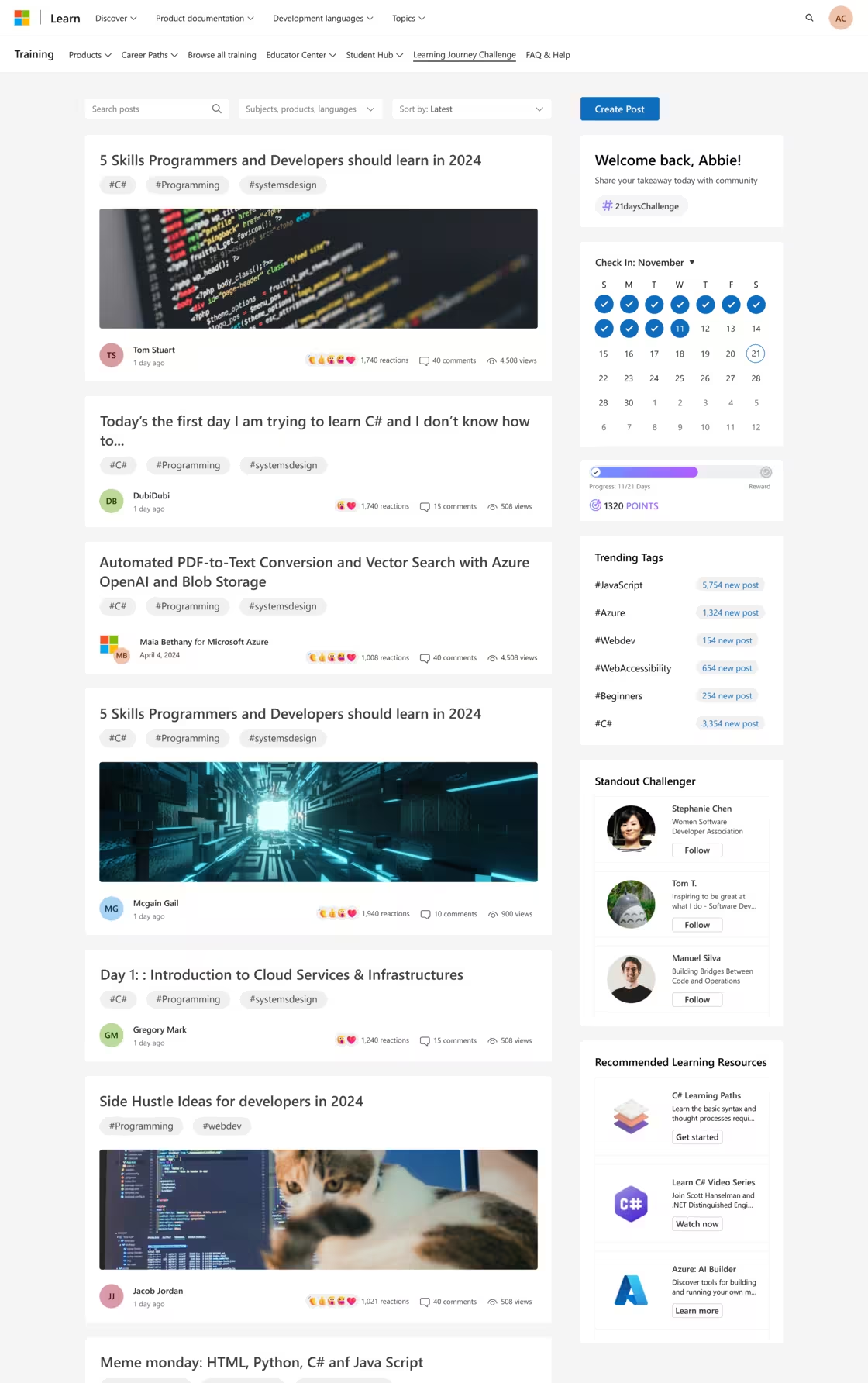
Final screens
The community feed leads; the six screens under it follow one learner from signing up to redeeming a reward. Click any screen to see it full size.
Design system
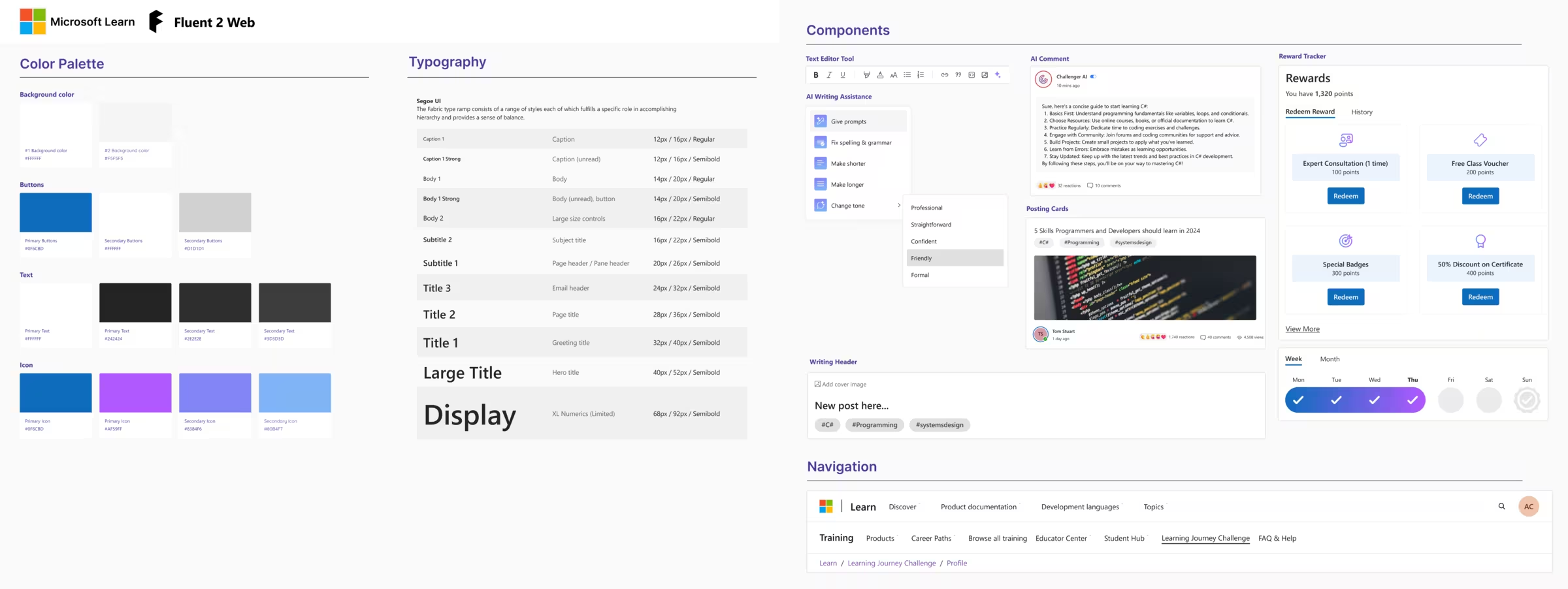
I followed Microsoft's Fluent Design System for navigation and consistency, and extended it where Fluent didn't have the components we needed, keeping everything in line with the brand.
Takeaway
Designing for a learning platform this large taught me a lot about its complexity.
- 01User-centred design. Every decision came from research and feedback, so the solution addressed real pain points.
- 02Iteration matters. Regular testing let us refine the design until it met user needs.
- 03Work across teams. Partnering with cross-functional teams kept our goals aligned with Microsoft Learn's and made integration smooth.
Passport Zone Estimator
Employers find their zone and price an ORCA Business Passport in three steps.